
نمایش My-Computer و کنترل پنل در دسکتاپ ویندوز 10
The solution is simple to Show My-Computer and Control Panel on Desktop in Windows 10?
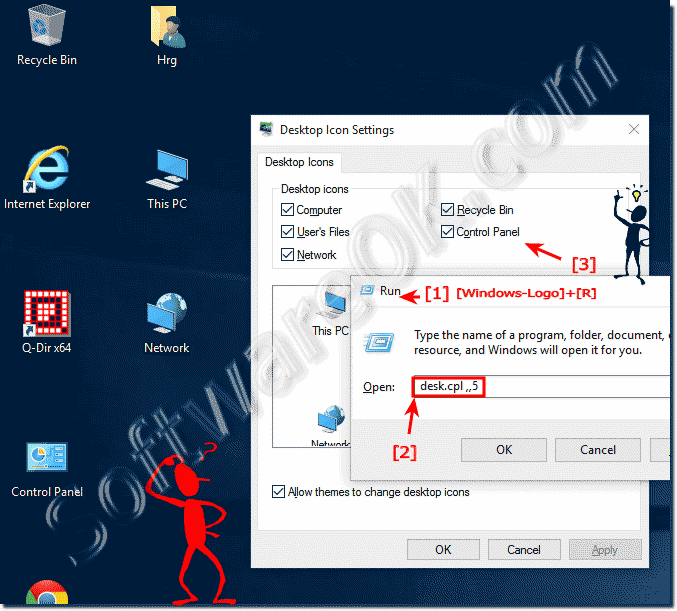
You can open the window Desktop Icons Settings via Windows-10 Run Windows+R and command desk.cpl ,,5.
Enable the desktop icons for Window-10, (Computer = My Computer = This PC)
In the window "Desktop Icons Settings" (... see Image-1) what you want to see on the Windows 10 Desktop.
See also: Windows 10 desktop icons are so big, why || Customize icon spacing on the windows 10 desktop




ورود کاربران
خوش آمدید! لطفا وارد حساب خود شوید