عضو شوید
عضویت سریع
آمار مطالب
آمار کاربران
کاربران آنلاین
آمار بازدید
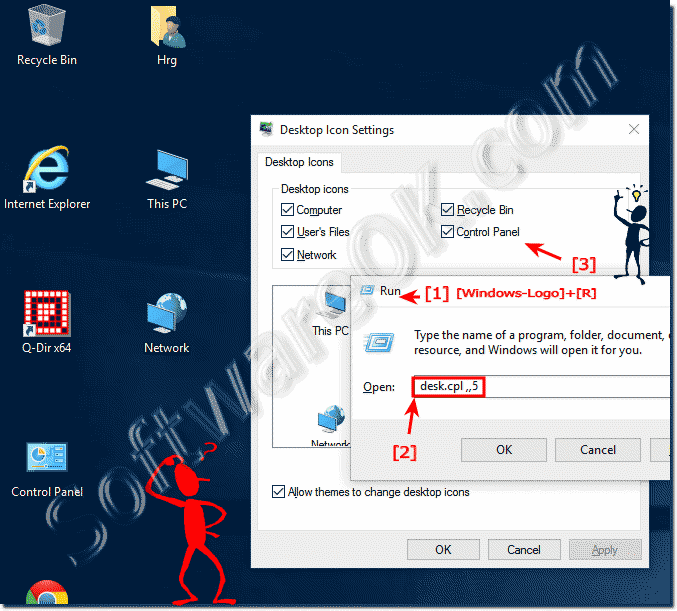
You can open the window Desktop Icons Settings via Windows-10 Run Windows+R and command desk.cpl ,,5. Enable the desktop icons for Window-10, (Computer = My Computer = This PC) In the window "Desktop Icons Settings" (... see Image-1) what you want to see on the Windows 10 Desktop. See also: Windows 10 desktop icons are so big, why || Customize icon spacing on the windows 10 desktop
RSS


 عضو شوید
 عضویت سریع
 آمار مطالب
 آمار بازدید